
Campaign tracking is a big part of what we do. We really value the ability to see which contacts are opening your emails and which are clicking on links, so you can gauge which contacts are showing interest in your comms and which areas are getting the most attention.
You don't need to do anything to switch on tracking as this is all done automatically when you send out the emails, however there are certain scenarios where you need to have tracking switched off. How do you go about doing this?
Switching off tracking
We've made switching off tracking very easy and you can do it on a campaign by campaign basis so you don't need to worry about switching it off for all campaigns and then forgetting to switch it back on again!
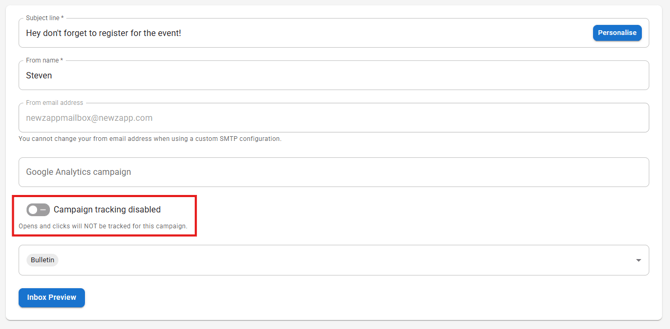
Once you've built your email click Next in the top corner like you normally would to go into the sending wizard. One the first screen, where you set your email subject line, there is a toggle at the bottom, switched on by default, that says "Campaign tracking enabled". Simply switch this toggle off and campaign tracking will be disabled.
So does this make Reports useless
No, not at all. Granted, we're not showing as much information as usual, however we do still know if an email has been delivered, so you will still be aware of bounced contacts, so you don't spend email credits, trying to contact email addresses that don't exist.