
Have you ever had one of those situations where you need to send three different emails to three different audiences, however the emails are basically the same aside from a couple of details? Well with NewZapp's dynamic content, you can send one email with different content depending on if contacts meet certain conditions.
Setting up the Contact information
First thing to decide is if what you want the condition to be. For the example that I'll go through here I'll be sending an email with different content depending on if the contacts are based in Exeter, Manchester or Glasgow.
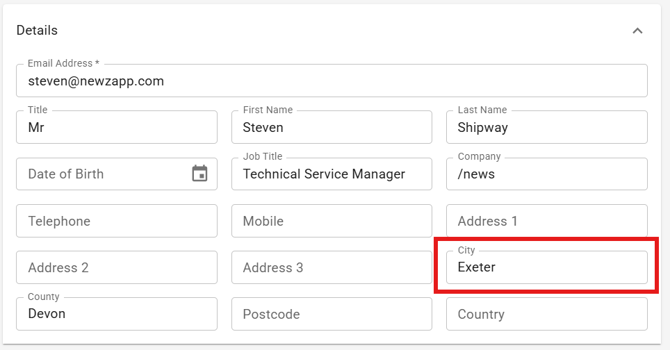
The way I'm setting this up in the Contacts is making sure that my contacts I'll be emailing have a the City field of their contact card set to one of those locations. PLEASE BE AWARE IF YOU EMAIL A CONTACT THAT DOES NOT MEET ONE OF YOUR CONIDITION, THEY WILL NOT SEE ANY CONTENT.
Setting the conditions in the email
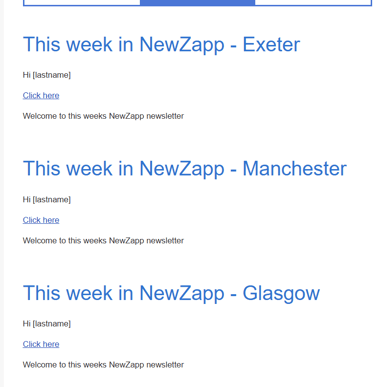
Now that my contacts are set up its time for me to build my email. In my email I've got my 3 different structures in which I'm putting the differing content.
I'm going to select the structure that my Exeter content is set in, and on the right near the bottom of the settings list is a field called "Display Conditions" with a toggle.

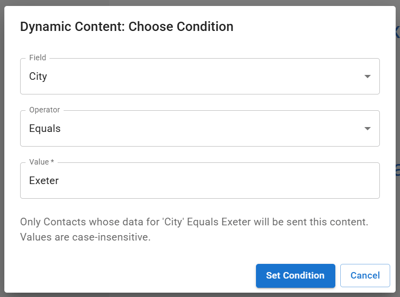
I'm going to switch on the toggle and this then opens up a box in the middle of the screen where I can set the conditions for this structure.
In "Field" you can select any field you have in the Contact Card including any Custom Fields that you've added yourself. I've selected "City".
In "Operator" you can select how you would like the condition to work. By default this is set to Equals and I'm going to keep it that way.
In "Value" I'm going to set what the Field needs o equal for this content to show, so I'm going to set this to be "Exeter". You'll know that the conditions are set up when the structure has a gold border around it.
All of this together means that as long as my contact has their City field in the contact card set to Exeter they'll only see this structure in the email. I'll then do the same things for my other 2 structures, setting them up for Manchester and Glasgow.
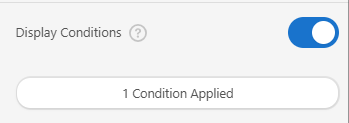
If at any point you'd like to check what condition you have set up on a structure, you can do this by clicking on the button that says "1 condition applied". This will then open up the condition window and you can view or edit the condition.
Testing
Lets not just assume that everything is OK though. Always best to check that everything is behaving exactly as you want it to, so now that my structures have the conditions set I'll do my first of two tests.
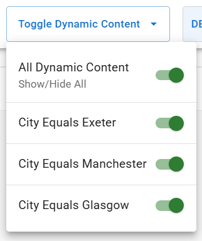
Firstly, in the Preview Campaign screen you'll see that there's now a Toggle Dynamic Content drop down box where you can toggle on and off different conditions to see how the the preview email changes. Is it displaying what it should be?
Secondly, update your contact card to meet one of the conditions and then send yourself a proof. My contact card has my City field set to Exeter and so in the proof email I've received is only showing the Exeter structure.
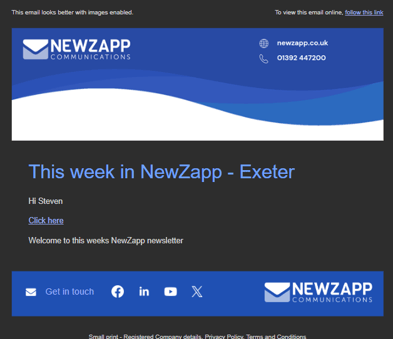
I'll probably do a couple of other proofs to multiple people who meet different conditions to make sure everything is 100% behaving correctly, however I believe this email is good to go!
Dynamic Content viewed online
At the top of your emails will be a link that your contacts can click to view the email online. Clicking this loads the email in your default browser.
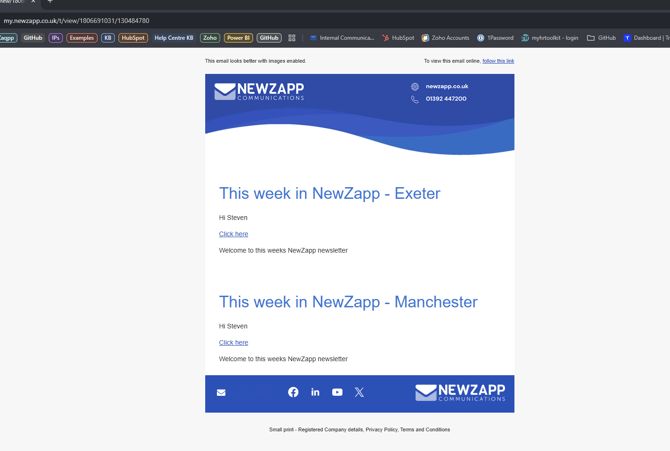
Please be aware that if someone clicks this link to view an email, the will see ALL of the email. None of the content will be hidden. This is because the browser has no way of determining what should be hidden and what shouldn't.
If you have any questions, please get in touch with your account manager or you can send an email to support@newzapp.com